Feel every hundredth.
UltraJog CNC is a real handwheel for your Z1: a machined 6061 knob on an industrial 600-click optical encoder, talking straight to the machine over its own Wi-Fi. Your phone or tablet becomes the screen.
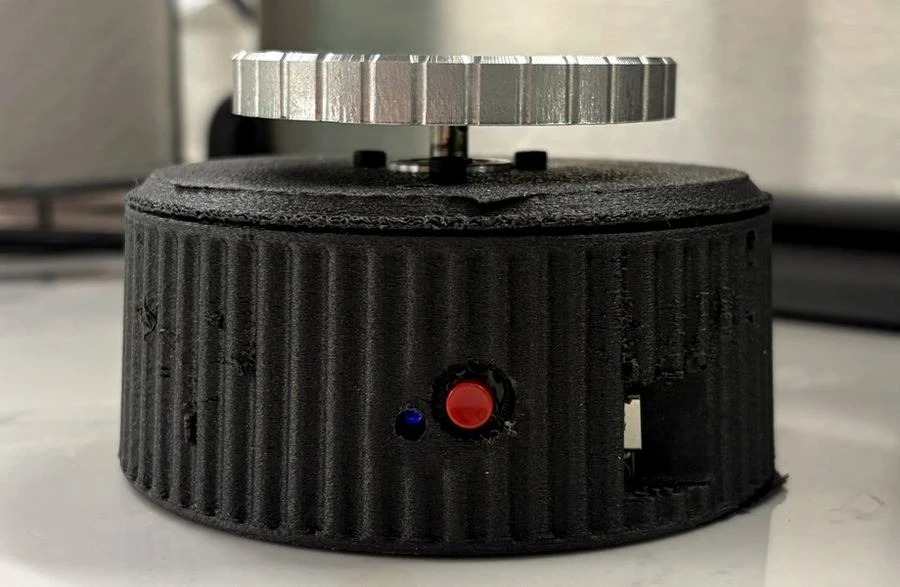
The UltraJog you'll receive
Pre-orders ship this production design. The photos elsewhere on this site show the prototype.
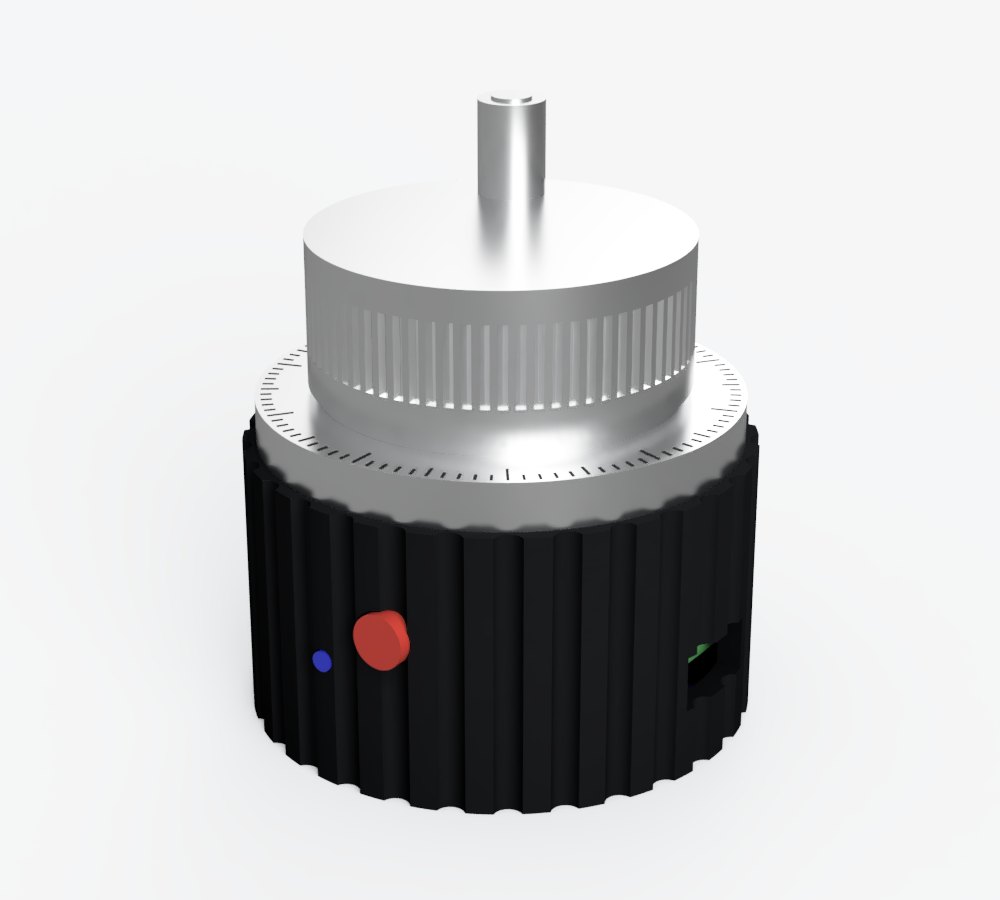
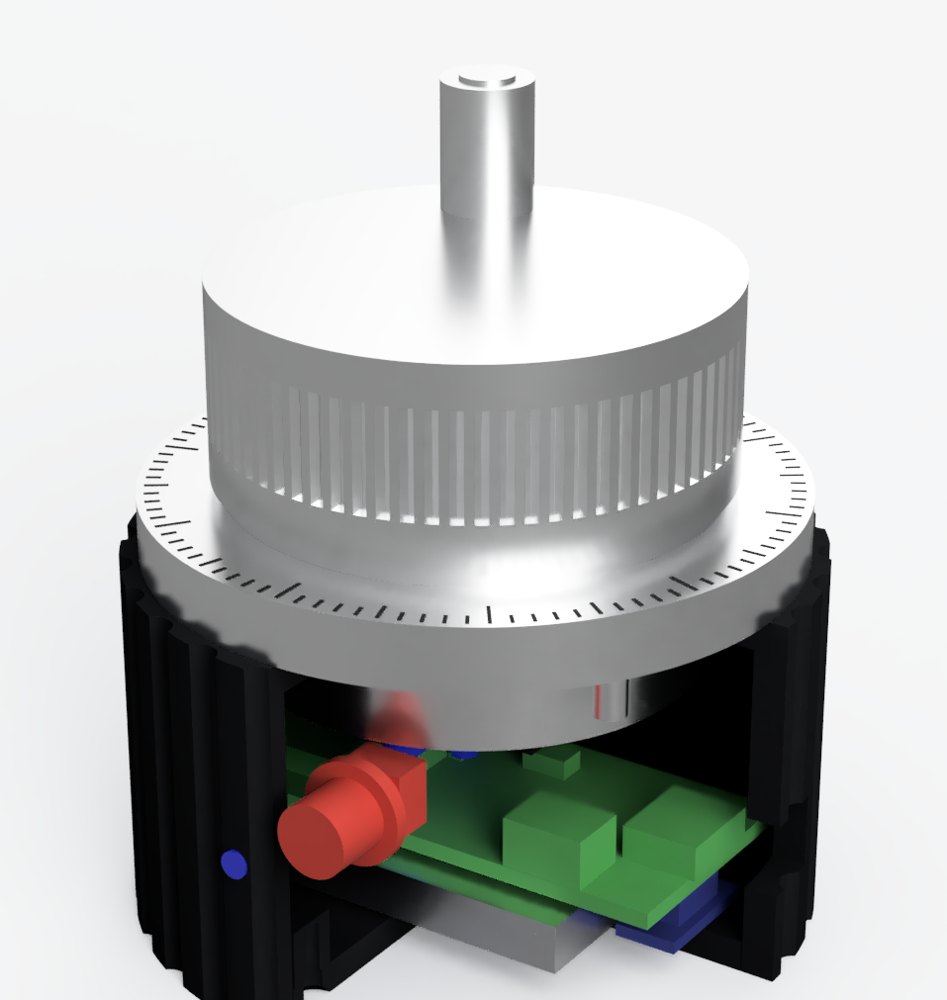
UltraJog on a real Z1
One button. One light. No menus.
Everything you need at the machine is on the front: one button to arm the wheel, pick the axis and set the step, and a status light that tells you what it's doing.
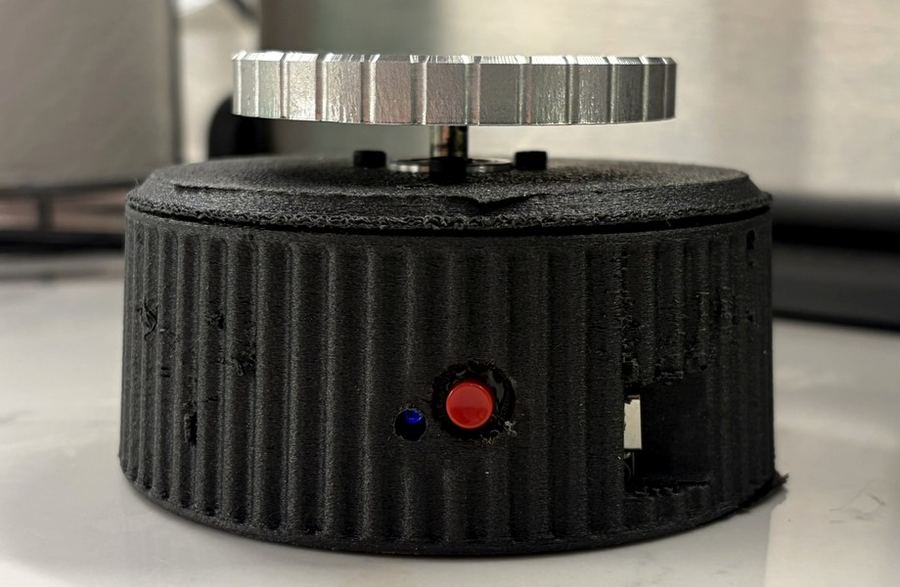 Button
Status light
USB-C charging
Quick start
- 1Switch on the Z1, then UltraJog. The light blinks slowly while it finds the Z1, then glows dim red: connected, wheel safe.
- 2Press 3× to arm. Three white flashes and the light goes bright. The knob now jogs.
- 3Press once for the next axis, hold for the step size. Turn the knob. Press 3× again when you're done.
Button presses
| 1 press Next axis: X → Y → Z. The light changes colour. | |
| Hold 0.6 s Next step: 0.001 → 0.01 → 0.1 mm per click. The light blinks 1, 2 or 3 times. | |
| 3 presses Wheel on or off. It's always off at power-up, so a bumped knob never moves the machine. | |
| 2 presses Unlock after a soft limit (only while the light flashes amber). |
Status light
| Bright red / green / blue Armed and ready. The colour is the axis: X, Y or Z. | |
| Dim colour Connected, wheel off or locked: a job or tool change is running, or the link is slow. | |
| Slow blink Looking for the Z1's Wi-Fi. | |
| Fast amber flash Soft limit hit. Press 2× to unlock, then jog back. | |
| White flashes 3 quick: wheel armed. 1 long: wheel off. |
Every button action is also on the dashboard: tap JOG, an axis or Step. Full controls in the guide →
The control a desktop CNC never came with
Touching off, squaring a vise and creeping up to an edge is faster and safer with a wheel under your hand than with arrows on a laptop.
A real handwheel
600 optical counts per turn, smooth and detent-free. Choose 0.001, 0.01 or 0.1 mm per click: 0.6, 6 or 60 mm per revolution.
Direct to the machine
Joins the Z1's own hotspot, so there's no router in the way. Round trips of about 30 ms keep motion tight and responsive.
Phone or tablet dashboard
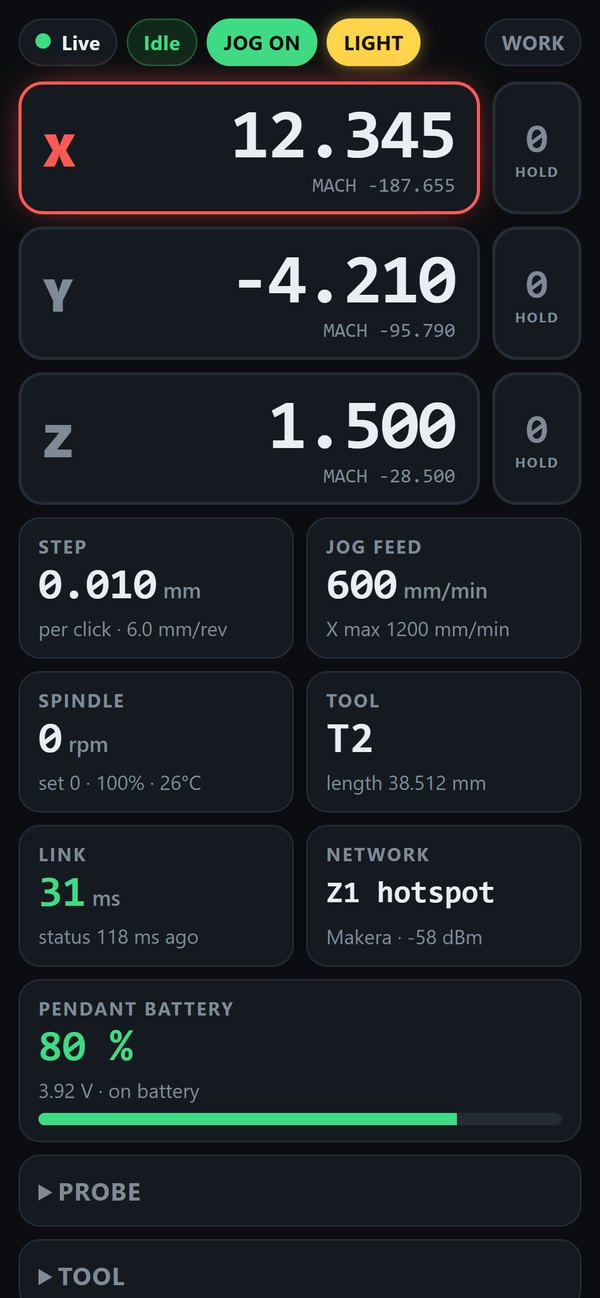
Open a browser and see live position, feed, spindle, tool and battery. Zero an axis or recover from a soft limit with a tap.
Cordless
A built-in 1200 mAh lithium battery and USB-C charging. The charge level shows on the dashboard, so it never surprises you.
Interlocked
The wheel locks while a job or tool change runs, stops if the link goes quiet, and switches itself off after two idle minutes.
Stock firmware, updatable
Nothing to flash on the Z1. The UltraJog's own firmware updates in one tap from the dashboard.
One-tap probing
Top surface, outside and inside corners, hole and boss centres. Jog the probe close with the wheel, tap a routine, and the work origin is set.
Guided tool changes
Pick a tool, swap it at the beep and tap DONE; the Z1 measures it. Re-measure the tool in the spindle with Calibrate.
Machine light
Switch the Z1's light on or off from the dashboard. It shows the real state, even when changed from the Makera app.
From box to first move in a minute
Power up
UltraJog finds your Z1's "Makera" Wi-Fi and connects on its own; the dashboard reads Live once it's talking to the Z1.
Arm the wheel
Press the button three times. Jogging is always off at power-up, so a bumped knob never moves the machine.
Turn and watch
Turn the knob to jog. Open z1-pendant.local on a phone or tablet for the live position and controls.
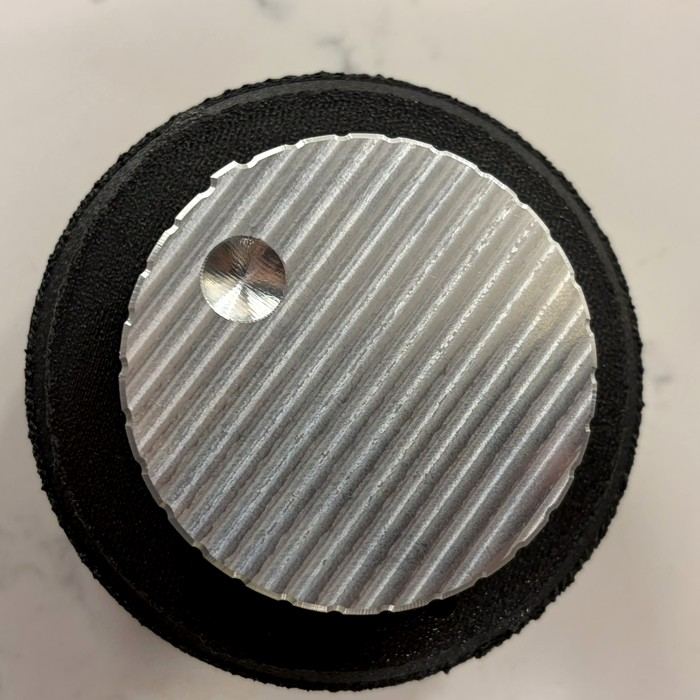
Machined, not printed
The knob is cut from 3/8" 6061 plate: a ribbed face for grip, 30 scallops around the edge and an R8 finger dimple for fast spinning. It floats 9 mm above the housing on the encoder shaft, with nothing to rub.
- Ø69 × 9 mm knob, 6061 aluminium
- 30-scallop grip edge and ribbed top
- R8 finger dimple, 21 mm off centre, for quick moves
- D-bore bonded to the Ø6 mm shaft: no set screw to work loose
- Ø102 mm fluted housing that stays put on the bench
Industrial parts where they count
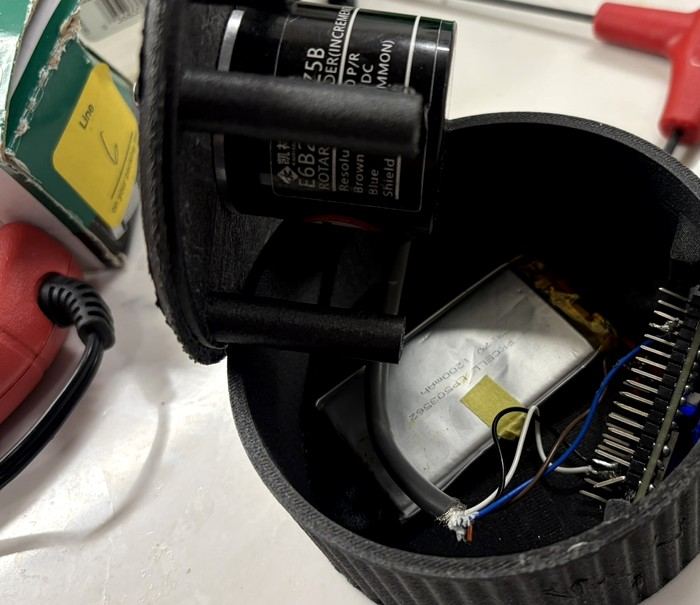
An optical encoder of the kind used on machine tools, an ESP32-S2 controller and a lithium cell, packed into a 45 mm-tall puck.
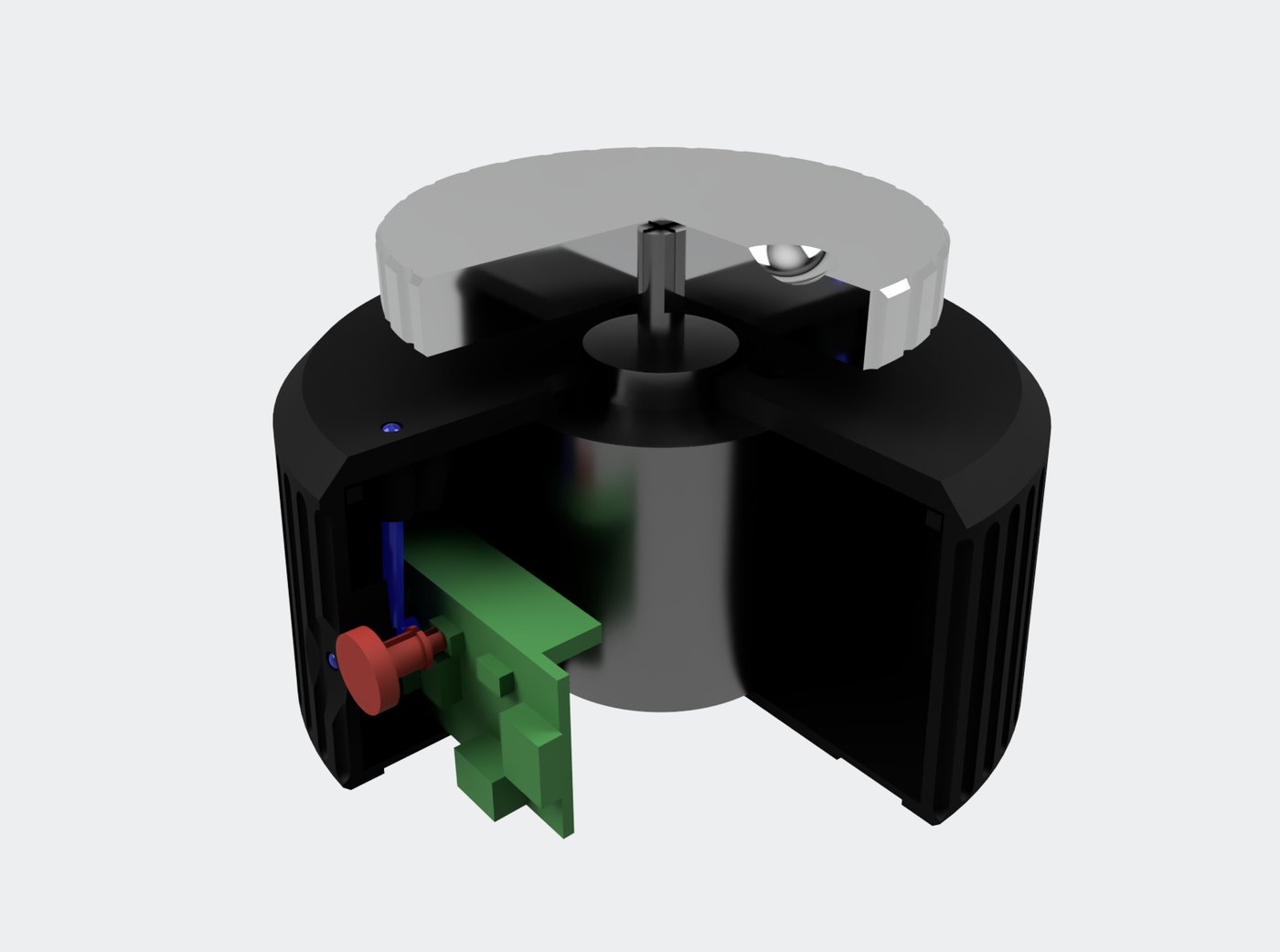
- 600 P/R optical encoder (E6B2-CWZ5B type) on its own shaft bearings
- ESP32-S2 controller with 2.4 GHz Wi-Fi and an RGB status light
- 1200 mAh LiPo with a fuel gauge, charged over USB-C
- One button on the front, light pipe beside it
- Four screws hold it together, so it's easy to service
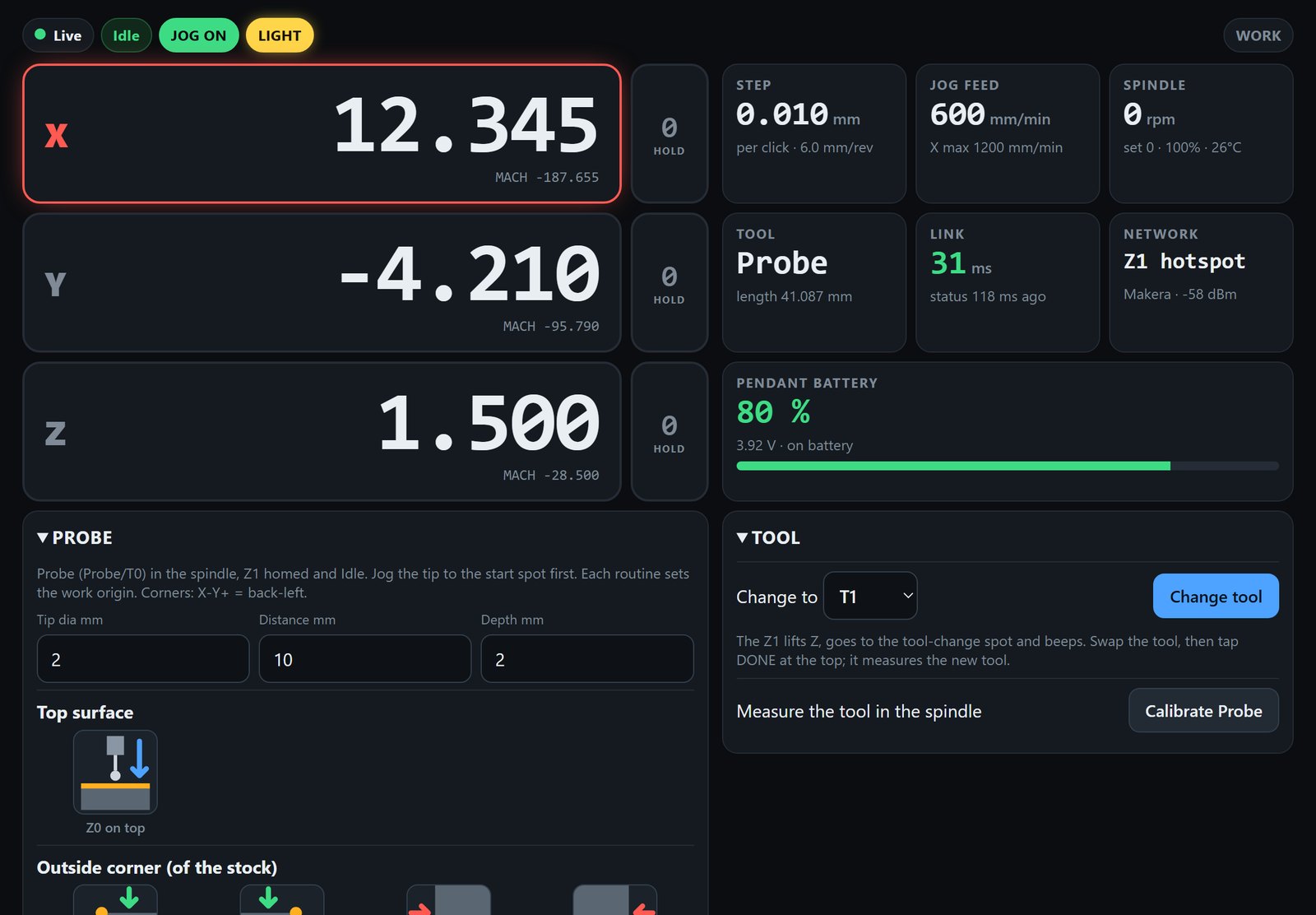
Your phone or tablet is the screen
No app to install. Join the Z1's Wi-Fi, open z1-pendant.local in any browser and everything updates live. Tablets get a wide layout.
Live position
Work and machine coordinates. Tap an axis to select it, hold 0 to zero it.
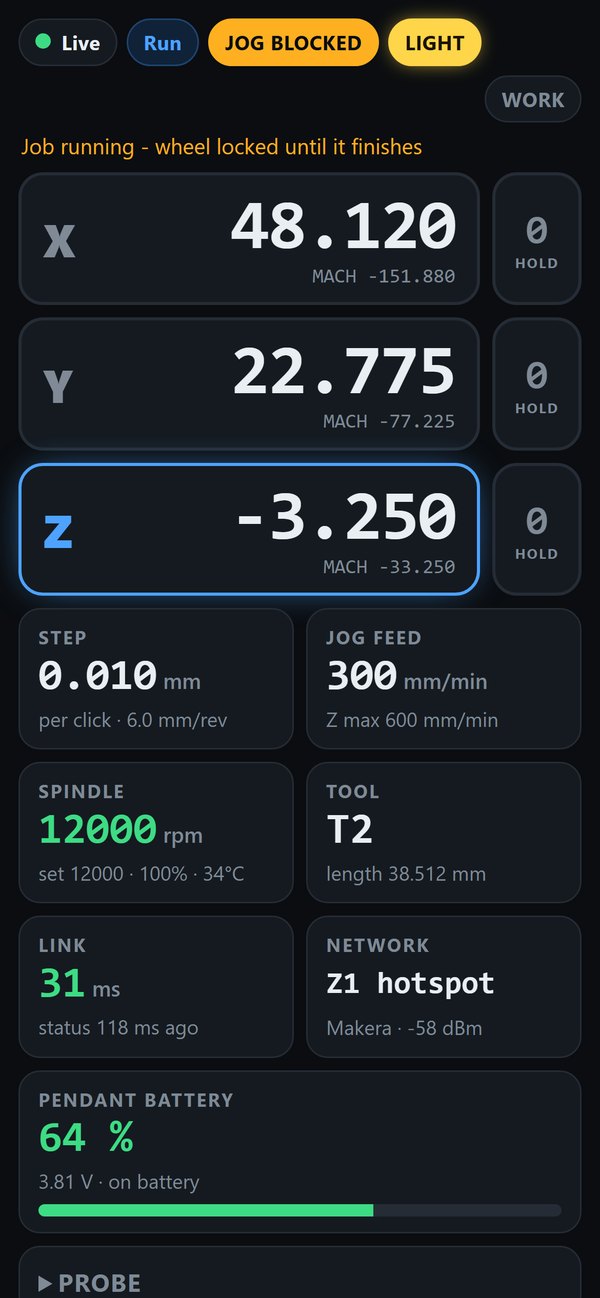
Locks while cutting
Spindle rpm and temperature on screen; the wheel stays locked until the job ends.
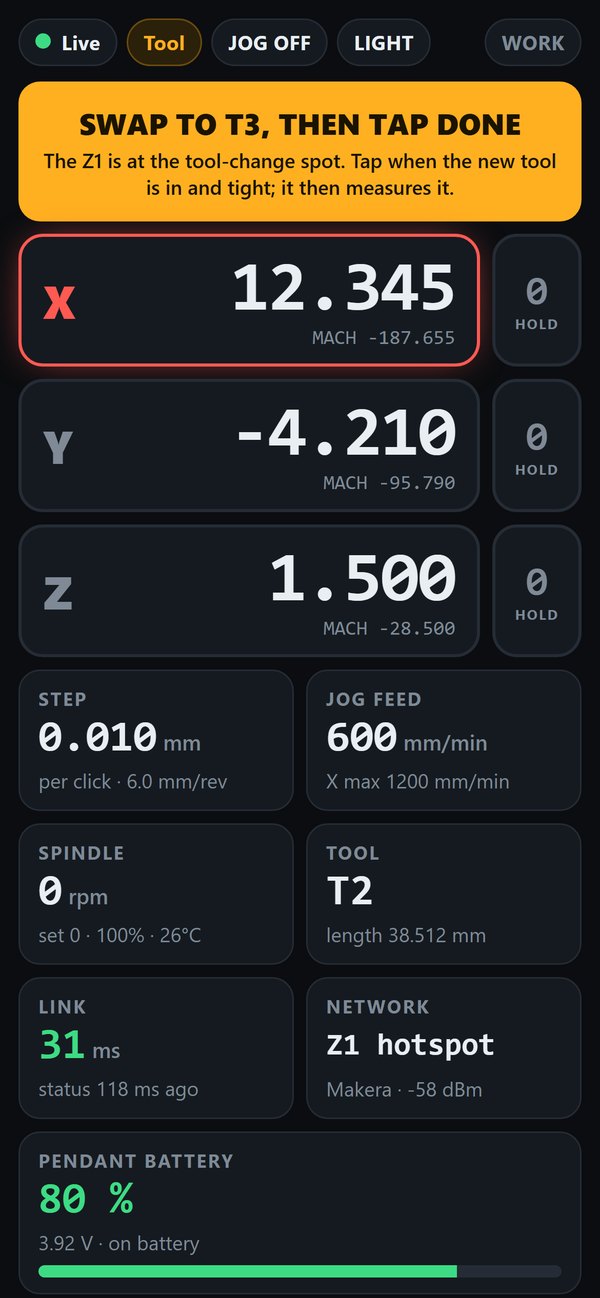
Guided tool change
Pick a tool, swap it at the beep, tap DONE. The Z1 measures it.
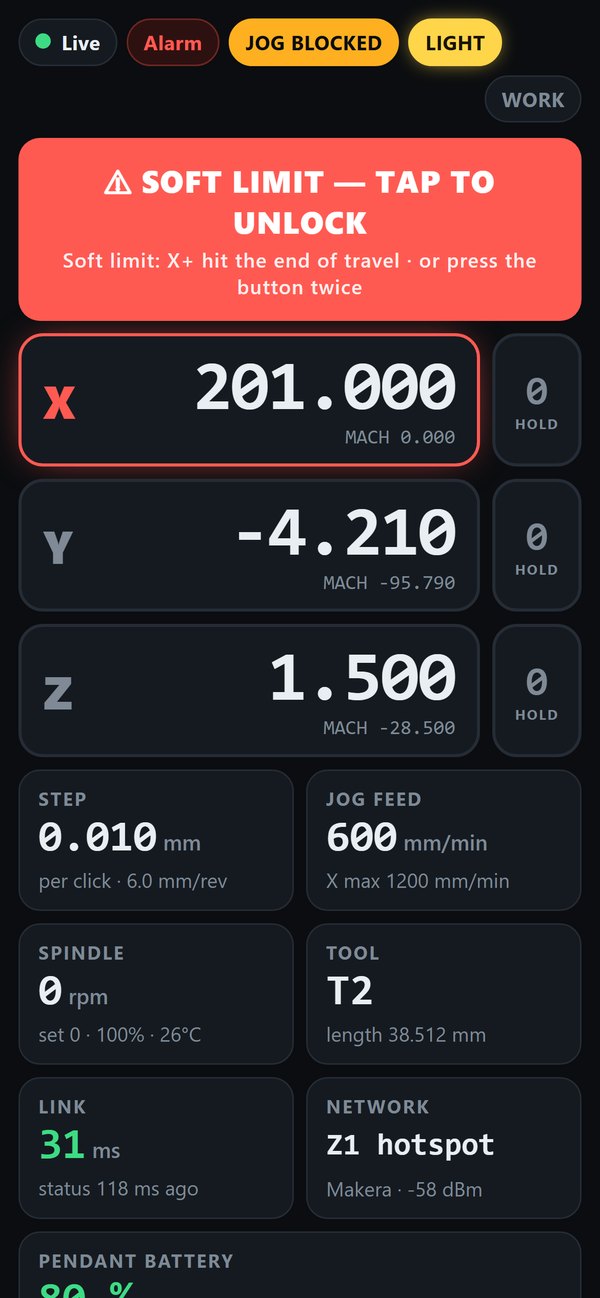
One-tap recovery
Ran into a soft limit? Tap to unlock, or press the button twice.
Screens show sample data.
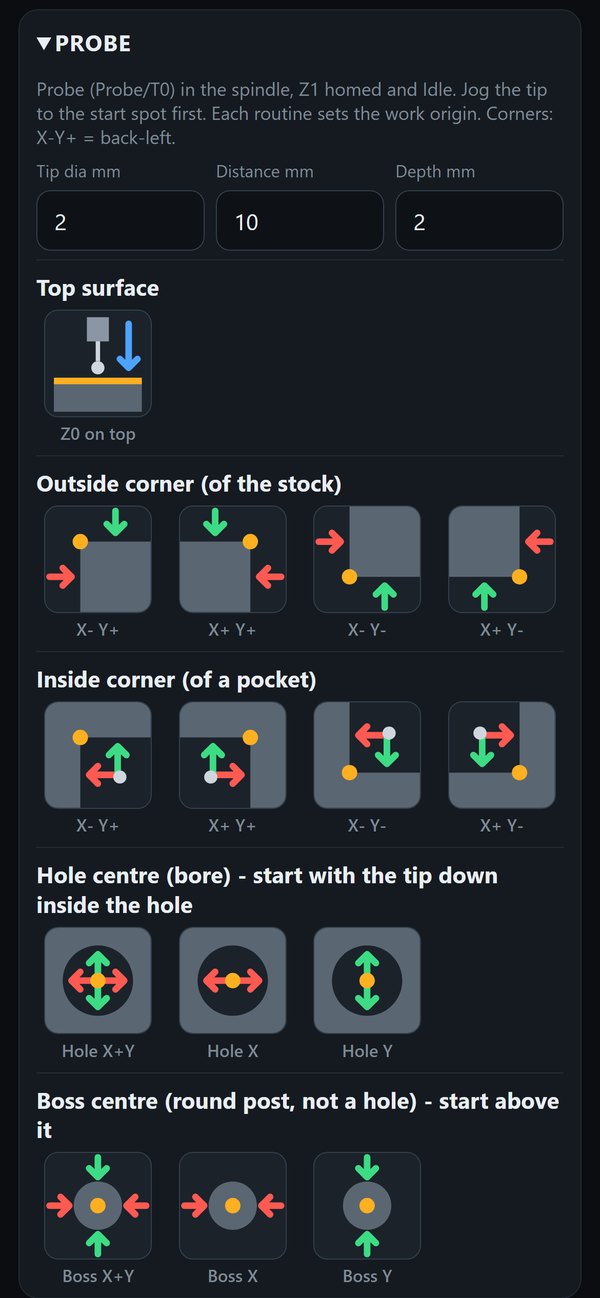
Corners, centres and Z0 in one tap
With a touch probe in the spindle, the PROBE panel runs the Z1's own probe routines, the same ones Makera's software uses. Each one touches, backs off, touches again slowly, corrects for the tip size and sets your work origin.
- Top surface: sets Z0
- Outside corner of the stock, any of the four: X0 Y0 at the corner, Z0 on top
- Inside corner of a pocket, any of the four
- Hole centre: X and Y together, or one axis
- Boss centre for round posts: X and Y, or one axis
- Tip size, distance and depth are remembered on your phone
Probing only starts with the probe in the spindle, the Z1 homed and idle, and the wheel still. The wheel stays locked until the routine finishes.
Real photos, real parts
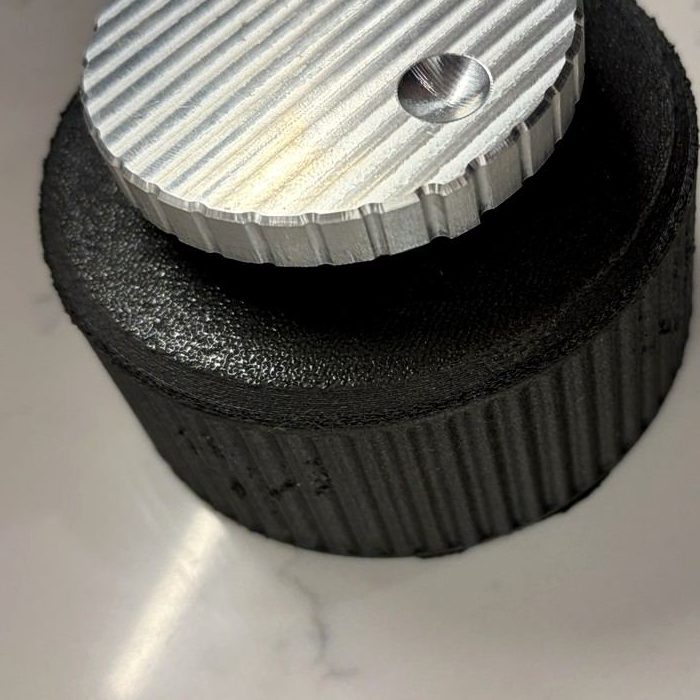
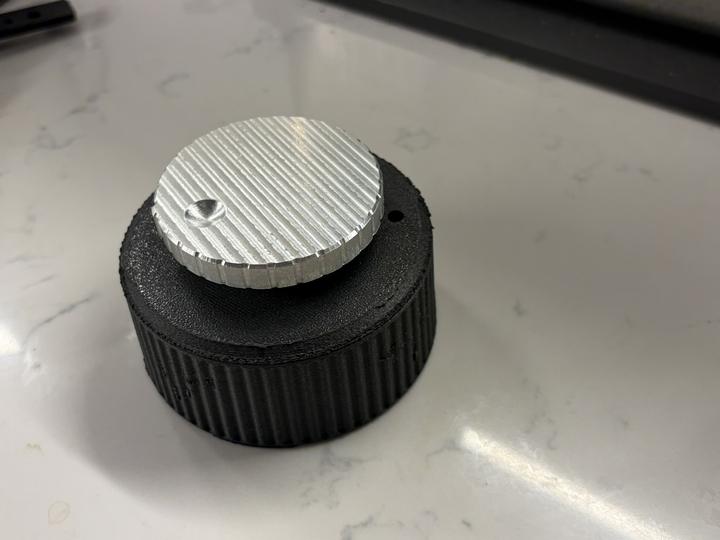
The numbers
| Mechanical | |
|---|---|
| Housing | Ø102 × 44.8 mm, fluted, PETG |
| Knob | Ø69 × 9.0 mm, machined 6061 aluminium, 30 scallops, R8 finger dimple |
| Knob height | Floats 9 mm above the housing |
| Mounting | D-bore on Ø6 mm encoder shaft, bonded |
| Encoder and controls | |
|---|---|
| Encoder | Optical incremental, 600 P/R |
| Step per click | 0.001 / 0.01 / 0.1 mm (0.6 / 6 / 60 mm per rev) |
| Axes | X, Y, Z (selected with the button or the dashboard) |
| Button | 1× next axis · hold: step size · 3× jog on/off · 2× soft-limit unlock |
| Indicator | RGB status light: axis colour and jog state |
| Electrical and wireless | |
|---|---|
| Controller | ESP32-S2, Wi-Fi 2.4 GHz |
| Connection | Z1 hotspot (direct) or your home network |
| Link latency | About 30 ms round trip on the Z1 hotspot (measured) |
| Jog feed limit | X/Y 1200 mm/min, Z 600 mm/min (the Z1's limits) |
| Battery | 3.7 V 1200 mAh LiPo with fuel gauge, USB-C charging |
| Software and safety | |
|---|---|
| Compatibility | Makera Z1, stock firmware |
| Dashboard | Any modern browser at z1-pendant.local; phone and tablet layouts |
| Probing | Top surface, outside and inside corners, hole and boss centres, using the Z1's own probe routines (touch probe required) |
| Interlocks | Locked during jobs and tool changes; stops on stale status; auto jog-off after 2 min idle |
| Updates | One tap from the dashboard |
Questions
Does it need any changes to my Z1?
No. UltraJog talks to the Z1 the same way Makera's own software does, over Wi-Fi. There's nothing to install or flash on the machine.
Which machines does it work with?
The Makera Z1. Other machines aren't supported.
Can I use it while a job is running?
No, on purpose. The wheel locks while a job or a tool change is running. The dashboard still shows position, spindle and tool, so it doubles as a job monitor.
Do I need my home Wi-Fi?
No. UltraJog joins the Z1's own "Makera" hotspot, which is also the fastest link. Home Wi-Fi mode is there if your Z1 lives on your network, and it's used to download firmware updates.
What happens if the Wi-Fi drops?
Motion stops. UltraJog only sends a move when it has fresh status from the machine, and it limits how much motion is queued at any moment, so a lost link can't leave the machine running away.
How long does the battery last?
Roughly 5 to 6 hours of use from a full charge (estimate). It also runs plugged in to any USB-C charger, and the dashboard shows the charge level.
Do I need a probe?
Only for the probing routines, which need a touch probe set up as your Z1's probe tool. Without one, you can still touch off by hand: creep up with the wheel at 0.001 mm per click, then hold 0 to zero the axis.
Is there an app?
No app to install. The dashboard is a web page served by the UltraJog itself. Open it in Safari, Chrome or any modern browser.
Do you ship outside the US?
No. UltraJog CNC is sold to US addresses only.
When does it ship?
Pre-orders ship in batches. Batch 1 (the first 12 units) ships December 10, 2026. Batch 2 ships January 10, 2027. Your batch is set by the order your payment arrives in and shown on your confirmation.
Put a handwheel on your Z1
UltraJog CNC, $129 pre-order.